
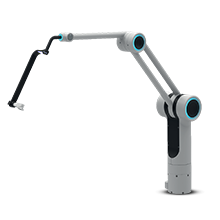
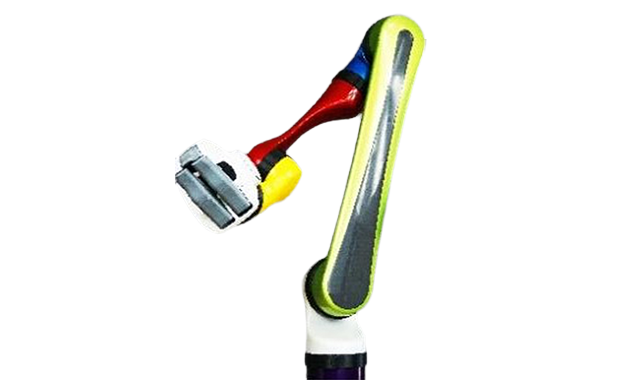
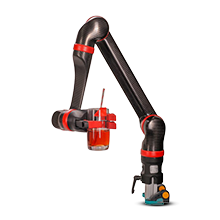


AVROS-PCompact Camera Assistant
Instruction videoClick to rotate the model
See AVROS-P in 3D
Rotate the device in any direction, zoom in on the details and inspect it from every angle - right in your browser, with nothing to install.
Open the 3D modelBring stable, surgeon-controlled vision to every OR
A compact, affordable camera assistant that keeps your view steady, your hands free, and your team focused


At a glance
- •Works with minimal assistance: reduces the need for extra staff during procedures
- •Scope-agnostic: compatible with instruments and scopes of any diameter
- •Compact & clean: minimal footprint around the table; easy to position and stow
- •Rock-steady vision: firm set-and-hold camera positioning for crisp, shake-free images
- •Surgeon at the patient: maintain full tactile control—no remote console.
- •Budget-friendly: enable robotic-level stability without large-robot costs.
- •Quick to learn: intuitive setup; minutes to confidence for surgeons and nurses
- •Built for safety: robust locks, smooth motion limits, and sterile draping

Why surgeons choose AVROS-P
- •Consistency — the camera stays exactly where you put it.
- •Efficiency — fewer view corrections, fewer verbal instructions, smoother flow.
- •Ergonomics — reduced strain for the assistant; better posture for the primary surgeon.
- •Access — makes stable laparoscopy feasible in smaller ORs and outpatient settings allowing for greater autonomy

Clinical applications
General Surgery · Bariatrics · Gynecology · Urology · Colorectal · Thoracic - Video-Assisted Thoracoscopic Surgery (VATS):
for any laparoscopic case where a stable, repeatable camera position matters

How it works
- •Set–Hold Technology: the surgeon (or scrub nurse) positions the laparoscope; AVROS-P locks that pose with high holding torque and low drift
- •Fine positioning: smooth joints and ergonomic handles support micro-adjustments without image wobble
- •Rapid reposition: quick-release plus guided assist lets the user re-angle in seconds

Workflow & footprint
- •Dock to the OR table or floor stand; drape with sterile cover; set initial view
- •Slim geometry keeps ports, staff, and instrument paths unobstructed
- •Parking: folds neatly on a trolley between cases
- •Color coded bright visual lights

Hygiene & safety
- •Sterile, single-use drapes
- •Easy-to-clean surfaces
- •Rounded edges
- •Motion limiters to protect tissue and trocars

Compatibility
- •Standard laparoscopes and towers (5–10 mm)
- •Works with common trocars, cameras, and light sources
- •Plays nicely with additional AVROS arms for future scaling
▶ Click to play the video
Instruction video
- •Preparing the arm for work
- •Assembly instructions
- •Installing sterile drapes
- •Repositioning the arm during surgery
Key features
Tech highlights (snapshot)
- •High holding stiffness with smooth manual repositioning
- •Wide working envelope around typical laparoscopic ports
- •Low-noise, low-maintenance mechanics
Options & accessories
- •Table clamps and mounts (universal/rail)
- •Mobile trolley with quick-dock
- •Sterile drape kits
- •Low cost drapes for reduction in accessories costs
Resources & next steps
- •Download brochure (PDF)
- •Request a live demo
- •Clinical evaluation program (limited availability)
Compatibility & integration
- •Standard 5-10 mm laparoscopes
- •Compatible with common towers
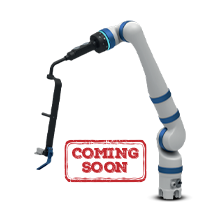
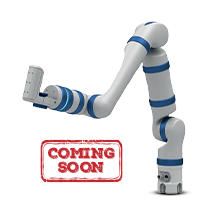
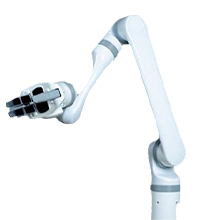
- •Ready to scale with AVROS-4/7
FAQ
Is it difficult to learn?
Most users are comfortable after a short in-OR onboarding.
Does it replace a human assistant?
It reduces camera-holding workload; staffing remains at your clinical discretion.
Can we upgrade later?
Yes—AVROS-P integrates with AVROS-4 and AVROS-7 for a stepwise path to powered and intelligent assistance.